
Custom Iframe for WordPress
The Easiest Way to Embed External Content in WordPress
Easily embed 100+ external content in WordPress and Elementor with full control over design, security & performance.
Get Custom iFrame Now
Risk-free 14 Days Money Back Guarantee
- 5-Star Ratings
- 3000+ Installations
- Gutenberg & Elementor
“Finally a plugin that makes embedding content in WordPress & Elementor super easy & customizable.”
Kuldeep Singh
Founder, 60Pixel
Embed anything
THE ONLY IFRAME PLUGIN YOU NEED!
One plugin. Endless embeds.
If it has a URL, you can embed it. PDF Files, Google Maps, Audio & Music, Social Posts, videos, tools, dashboards, etc., all inside WordPress in seconds.
3000+ WordPress users already embed these every day with Custom iFrame.
"I was embedding an iframe in the container of Elementor but was facing a lot of problem in achieving full height. Then after a lot of googling, I found this plugin and by using it I fixed the problem of iframe height. Thank you very much for this free plugin."
@sandeepkashyap2000

Reviewed on WordPress.org
the difference
Embedding in WordPress Shouldn't Be This Hard.
Yet most users waste hours on code that breaks. Here's what changes with Custom iFrame.

Digging through iframe code tutorials
Copy-pasting raw HTML just to embed a map
Embeds that break on mobile
Fixed pixel widths that overflow on small screens
Layouts falling apart after publishing
Iframe code clashing with your theme's CSS
Paying a developer just to fix it
Hiring someone for a task that should take 30 seconds
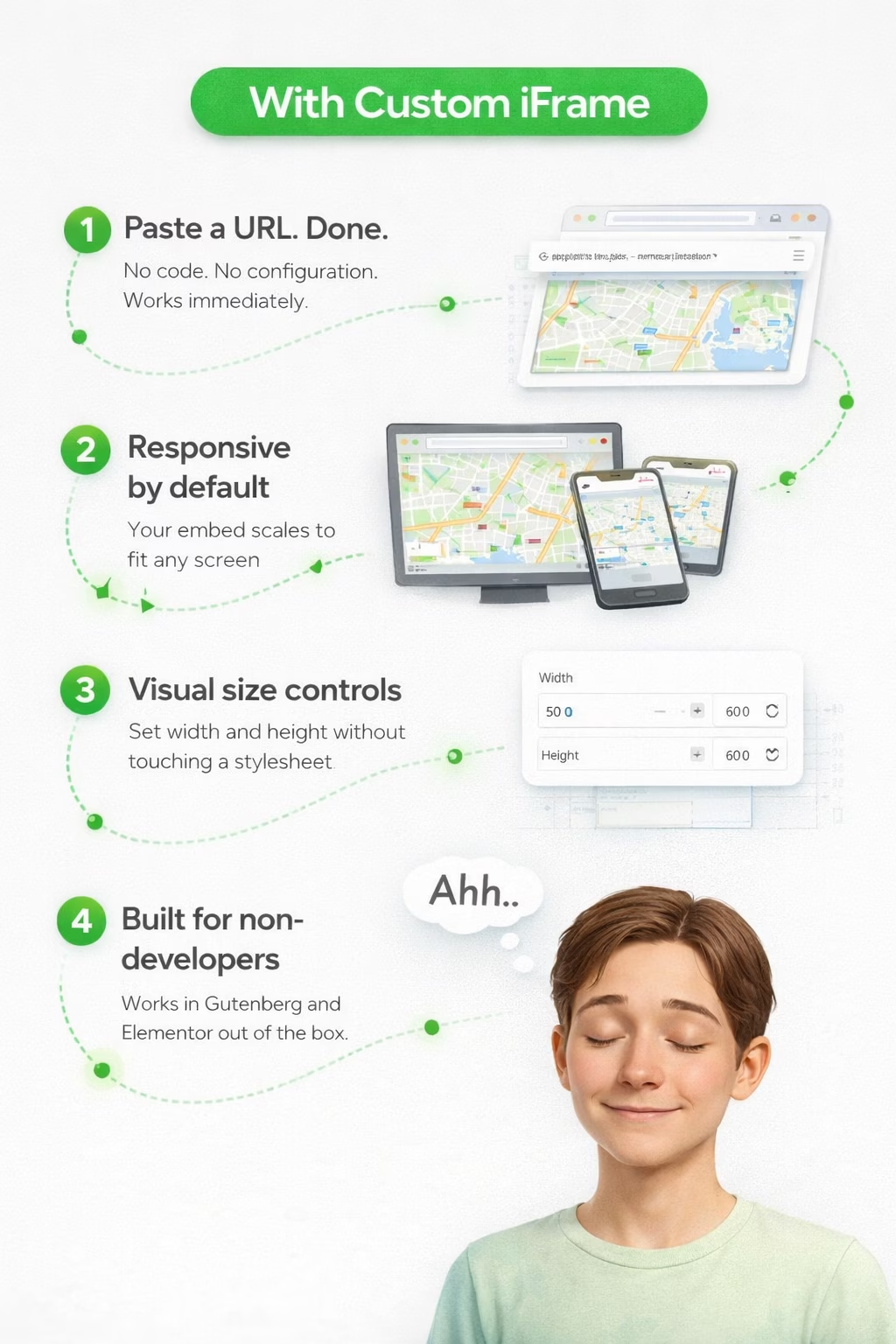
Paste a URL. Done.
No code. No configuration. Works immediately.
Responsive by default
Your embed scales to fit any screen automatically
Visual size controls
Set width and height without touching a stylesheet
Built for non-developers
Works in Gutenberg and Elementor out of the box
What can you embed?
Everything you need to embed properly inside WordPress!
Style every embed to fit your layout and brand - while keeping pages fast and safe. Full control over how your embeds look, load, and behave.
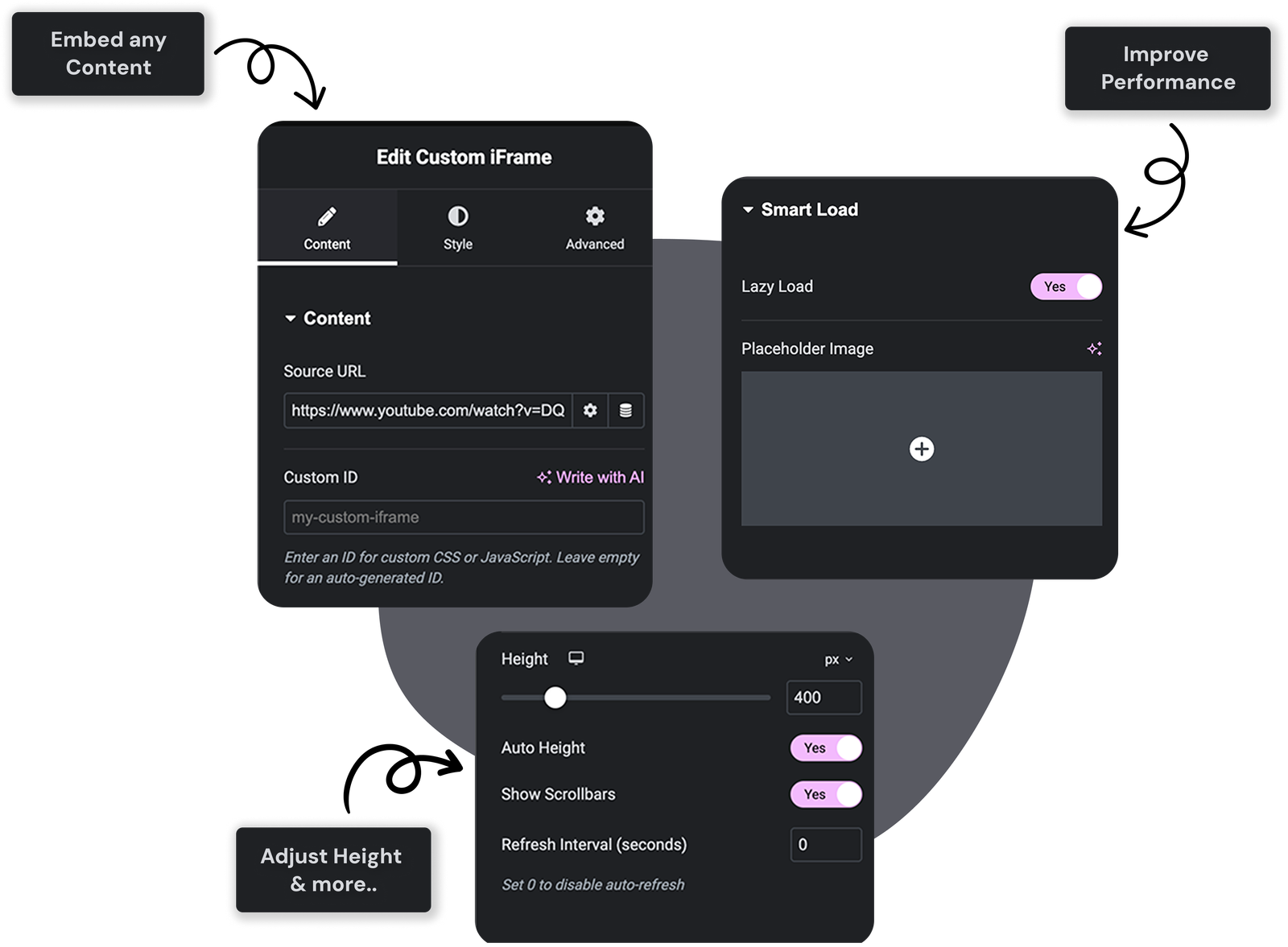

Auto-Refresh for Live Content
Keep Sheets, dashboards, and widgets fresh with auto-refresh intervals you control. Set it once and your data stays up to date.

Advanced CSS Hooks
Lock down external content with sandbox/referrer policies, and use a Custom ID for precise styling in Elementor - secure and easy to target.

Responsive Smart Load Across Devices
Load iframes only when needed and show a custom placeholder image while they initialize - better Core Web Vitals, smoother UX.

Visual Size Controls (Height, Width)
Fine-tune the frame with a slider or let Auto Height do the work. Toggle scrollbars when you need them. No cutoffs, no awkward gaps.
SUPPORTED PLATFORMS
Forget the source, If It's Online you can Embed it easily!
From Google Docs to Spotify, from PDFs to social media feeds – if it lives on the web, you can embed it with Custom iFrame: securely & responsively!

WHY CUSTOM IFRAME ?
Real embedding problems. Actually solved.
Every WordPress user hits the same frustrations when embedding external content. Here's exactly how Custom iFrame fixes each one.
"The plugin works great, has a lot of customizable features, and the dev team went above and beyond to help work through a few issues regarding my particular setup. Highly recommended!"
@woods000
Reviewed on WordPress.org
THE 3 STEP SOLUTION
Setup iFrame's in 3 Simple Steps
No configuration headaches. No developer needed. Install once and start embedding anything in minutes.

01. Download Plugin
Download Custom IFrame from WordPress.org or our website.

02. Install on WordPress
Add it to your WordPress dashboard in one click — just like any other plugin.

03. Embed Any Content
Use Custom iFrame Block/Widget to embed any content inside WordPress.
- Works with
- Gutenberg Editor
- Elementor
- All themes
INTEGRATIONS
Trusted by Gutenberg & Elementor users worldwide.
From bloggers to agencies — thousands of WordPress users rely on Custom iFrame to embed content cleanly, quickly, and without the headaches.
100+
Embeddable Sources
3,000+
Happy Users
18,000+
Total Downloads
20+
Built-in Features
"I use ajax page loading on my site. I needed pdf embed plugin that doesn’t brake ajax. That’s it! Also plugin has settings options which in other pdf embed plugins didn’t included in free versions. Thank you."
@fullscopecreative
Reviewed on WordPress.org
pricing plans
Embed anything in WordPress Like a Pro without breaking the bank!
Get Lifetime access to Custom iFrame WordPress plugin with a one-time payment. No recurring fees, no subscriptions + 14-days money-back guarantee.
For freelancers, agency owners managing multiple projects.
- All Pro Features
- Gutenberg & Elementor
- Unlimited Website License
- Lifetime Product Updates
- Premium & Friendly Support
For individuals & small businesses managing up to 5 websites.
- All Pro Features
- Gutenberg & Elementor
- 5 Website License
- Lifetime Product Updates
- Premium & Friendly Support
For individuals managing one personal/business site.
- All Pro Features
- Gutenberg & Elementor
- 1 Website License
- Lifetime Product Updates
- Premium & Friendly Support
All pricing is in USD. This is our Special introductory pricing, limited time LTD offer.

FAQ'S
Frequently Asked Questions!
Have any doubts about Custom iFrame? Here are some frequently asked questions that should answer most of yours.
What is the Custom iFrame Plugin?
The Custom iFrame plugin is one of the most advanced iFrame plugin for WordPress. That allows you to embed external content like videos, audio players, maps, or third-party websites seamlessly into Gutenberg or Elementor. It’s secure, customizable, and easy to use, even for beginners.
Do I need coding skills to use this plugin?
Not at all! The plugin is designed with a user-friendly interface and provides extensive styling and advanced options without requiring any coding knowledge.
Is the plugin secure for embedding third-party content?
Yes, absolutely. The plugin includes advanced security features like sandboxing, fullscreen restrictions, and lazy loading, ensuring your site stays safe while embedding external content.
Can I customize the iFrame's appearance & behavior?
Yes, you can customize everything from dimensions, borders, padding, to iFrames alignment. You can even set auto-refresh intervals or placeholder images for lazy loading.
Can I use the plugin to embed responsive content?
Absolutely! The plugin supports responsive designs, ensuring that your embedded content automatically adjusts to different screen sizes for a flawless user experience.
