
Best EmbedPress Alternative for Easy Embeds in WordPress


Key Takeaways
The best EmbedPress alternative is the Custom iFrame plugin by Coderz Studio. With Custom iFrame, you can embed forms, videos, PDFs, maps, and full websites anywhere in WordPress. It gives you simple controls, clean responsive settings, and safe sandbox options. It also avoids the heavy code and bloated features found in many embed plugins. The lifetime pricing makes it more affordable than the yearly plans offered by EmbedPress and other embedding plugins.
What is the best EmbedPress alternative for WordPress?
EmbedPress is a popular plugin for embedding videos, maps, documents, and forms into WordPress pages. It offers many features and a wide range of embedding options.
But more features often mean more load on your site. This extra bloat can slow things down, especially when you only need a simple and clean way to embed content. The higher yearly pricing of EmbedPress also becomes a concern for users who want a lightweight tool without long term costs.
This is where the Custom iFrame plugin by Coderz Studio becomes a strong alternative. It works with both Elementor and Gutenberg and focuses on the essential features that matter for daily embedding tasks.
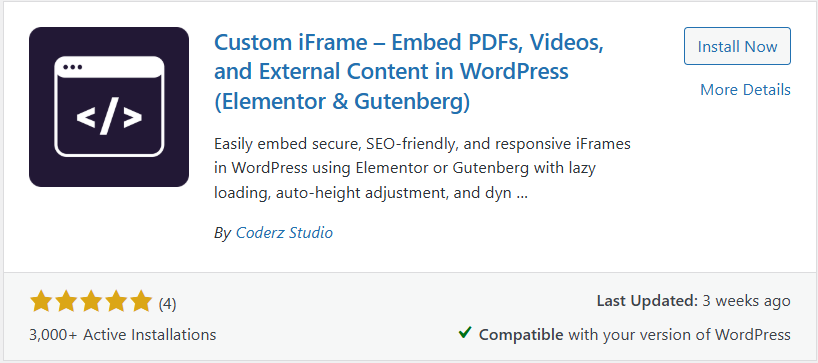
You paste a URL and it loads inside a responsive iFrame that you can style easily. The plugin keeps the process simple, fast, and stable. It also offers affordable lifetime pricing, which gives you better long term value compared to yearly subscriptions.
Here are the core reasons many users choose Custom iFrame as an EmbedPress alternative:
- EmbedPress has many features, but Custom iFrame offers the important ones without the extra bloat.
- Custom iFrame gives better control for responsive layouts with simple height, width, and padding settings.
- Custom iFrame offers a lifetime deal at a much lower cost than the yearly EmbedPress plans.
- Custom iFrame provides full PDF embed features for free.
- Custom iFrame is an active and growing plugin built for complete iFrame solutions, with new updates and features on the way.
Before we go any further, it is good to look at what each plugin actually offers. This helps you see the real differences without guessing.
So let us check the features side by side. This will show you what EmbedPress gives you and what Custom iFrame includes.
Feature Comparison: EmbedPress vs Custom iFrame
The table below keeps things simple. You can scan it fast and decide which plugin fits your needs.
| Features | EmbedPress | Custom iFrame |
| Supports Elementor | Yes | Yes |
| Supports Gutenberg | Yes | Yes |
| Lightweight and No Bloat | No | Yes |
| Easy URL-to-Embed Setup | Yes | Yes |
| Embed from 100+ Sources | Yes | Yes (with essential sources) |
| iFrame Custom Attributes | No | Yes |
| Security Sandbox Options | No | Yes |
| Advanced PDF Embed | Yes (Freemium) | Yes (Free) |
| 3D Flipbook Viewer | Yes | Yes |
| Custom Watermark | Yes | Yes |
| Custom Branding | Yes | Yes |
| Responsive Control Settings | Basic | Advanced |
| Ads on Embed | Yes | No |
| Social Feed Embed | Yes | No |
| YouTube Pro Controls | Yes | Yes |
| Overall Performance Load | Heavy | Very Light |
Even though both plugins help you embed content in WordPress, the real difference is how they approach performance and simplicity. EmbedPress packs in a long list of tools, while Custom iFrame keeps things light and focused on what you use every day.
it is important to understand how these feature sets affect your website in real use. More features often mean more memory load, and that directly impacts speed. So let’s take a quick look at how both plugins perform in terms of memory usage and overall site performance.
Performance Comparison: Custom iFrame vs EmbedPress
It is important to look at how both plugins perform in real use. A plugin that loads faster keeps your WordPress site smooth and your editor experience clean.
Custom iFrame uses far less memory than EmbedPress in WP Hive tests. This means it puts less load on your site and helps pages and admin screens run more efficiently. EmbedPress adds much more memory usage, which can slow things down over time.
You can check the image below to see the detailed performance comparison. It clearly shows how much lighter Custom iFrame is in almost every test.
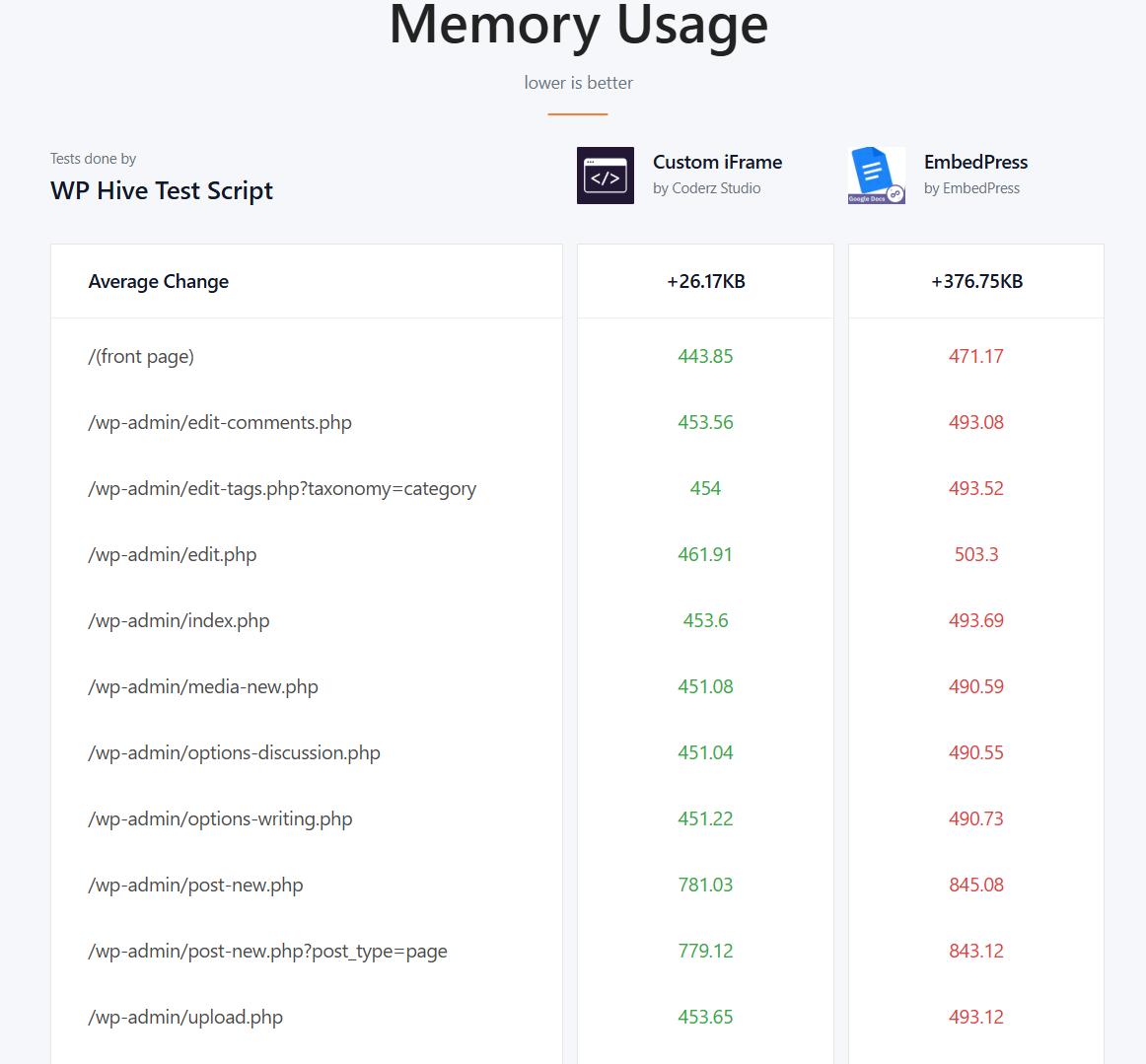
You can check the full comparison here: Custom iFrame Vs EmbedPress Comparison by WP Hive
Now that you have seen the performance results, let’s move on and look at the pricing to see which plugin gives you the best value.
Pricing: EmbedPress Pro Vs Custom iFrame Pro
Pricing is one of the biggest reasons users look for an EmbedPress alternative. Many WordPress users want simple embeds without paying high yearly fees. When you compare the base plans, Custom iFrame Pro clearly offers the lowest and most affordable pricing.
Here is a simple look at the pricing so you can see the difference at a glance.
| Plans | EmbedPress | Custom iFrame |
| 1 site | $69/Year | $49 (Lifetime Deal) |
| Unlimited Sites | $199/Year | $399/Lifetime | $199 (Lifetime Deal) |
| 5 Site | NA | $99 (Lifetime Deal) |
EmbedPress uses a yearly subscription model. Custom iFrame Pro works very differently. It offers lifetime deals. You pay once and you are done. This makes it a strong choice for users who want a low cost and long term solution.
The lifetime pricing makes Custom iFrame Pro a better option for many users. You save money. You avoid renewals. Many deals and discounts come and go for both plugins, but the original prices listed here give you the real picture.
Conclusion
Choosing the right embedding plugin can make a big difference in how smooth your WordPress workflow feels.
EmbedPress offers a wide set of features, but that also comes with more load and higher pricing. Custom iFrame keeps things lightweight, fast, and focused on the options you actually need for daily embeds. It works with both Elementor and Gutenberg, gives you responsive control, and keeps your site running fast without the extra bloat.
If you want a simple, reliable, and budget-friendly best EmbedPress alternative, Custom iFrame is an easy pick. You get lifetime pricing, essential features, and a plugin that continues to grow with new updates. Give Custom iFrame a try and see how it fits your site.
If you try it, feel free to share your thoughts in the comments. Tell us what you plan to embed and how this plugin helps your workflow.
