
Table of Contents
Want to turn a boring PDF into an interactive 3D flipbook in Elementor? With Custom iFrame plugin, you can add 3D Flipbook PDF in Elementor easily.
Quick Overview
Add 3D Flipbook in Elementor
- Install and activate Custom iFrame Free and Custom iFrame Pro.
- Open your page in Elementor and drag the Custom iFrame widget onto the page.
- In Source Type, select PDF. Select PDF source as File or URL.
- Upload PDF File.
- Enable ‘3D Flipbook View’ switcher.
- Customize height, Lazy Load, Display Options, Toolbar Settings, etc as per your requirements.
Step 1: Add Custom iFrame Widget in Elementor
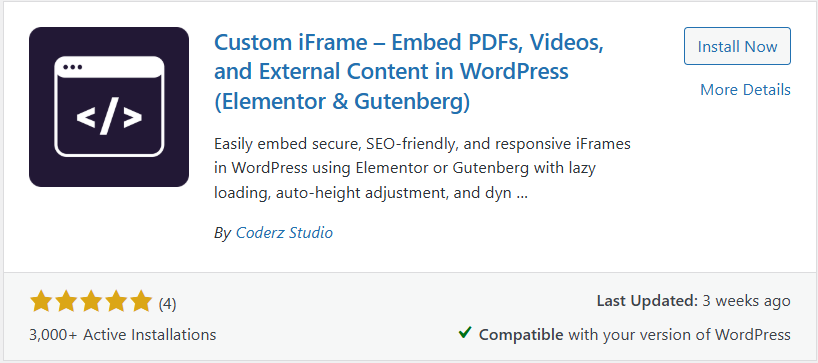
- Install Custom iFrame Free and Custom iFrame Pro Plugins in WordPress site.
- Edit the page with Elementor in which you want to add iframe.
- Drag the Custom iFrame widget onto the page
Step 2: Add PDF in Widget
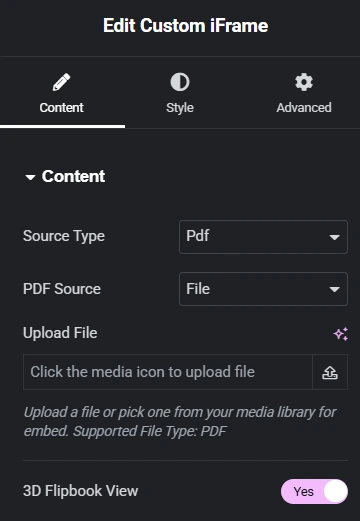
- In Source type, select PDF.
- Select PDF source as URL or Fil.
- Upload PDF file or paste PDF URL.
Step 3: 3D Flipbook PDF in Elementor
- Enable ‘3D Flipbook View’ switcher.
Once enabled:
- The PDF switches to a page-flip layout
- Pages animate like a real book
No extra setup needed.
Step 4: Adjust Height and Layout
- Set a custom Height (for example: 500px)
- Keep Auto Height off for consistent layout
This ensures the flipbook fits well inside your page design.
This guide covered how to embed a 3D Flipbook in Elementor using the Custom iFrame Pro plugin. From choosing a PDF file or URL to enabling the flipbook view, you now have a simple way to display interactive documents on your site.
Set it up based on your content needs and turn static PDFs into engaging, book-like experiences.
