
Table of Contents
With Custom iFrame, you can embed Animoto video in Elementor easily. Display promo videos, slideshows, or product demos right on your WordPress site.
Step 1: Get the Animoto Video Link
- Open Animoto.(https://animoto.com)
- Navigate to the video you want to Embed.
- Click on ‘Export‘ button > Click on ‘Embed’ option > Copy the iFrame SRC link.
Step 2: Install the Custom iFrame Plugin
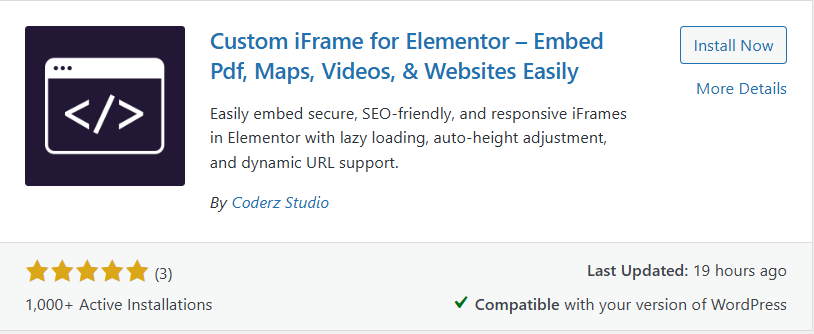
- Install and Activate ‘Custom iFrame Plugin by Coderz Studio‘
- Open your page in Elementor Editor.
- Search for Custom iFrame and Drag and drop the Widget onto editor area.
Step 3: Embed Animoto Video in Elementor
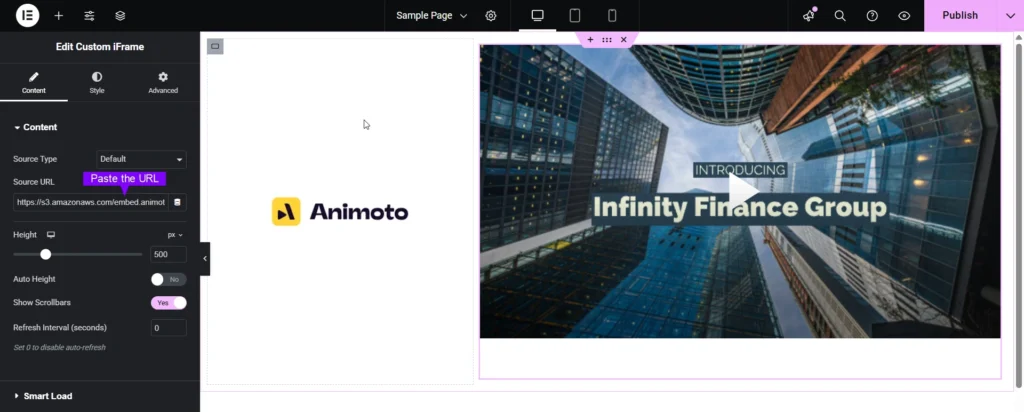
- Go to Content.
- Paste the URL into Source URL field.
Step 4: Customize & Configure Settings
For styling, smart loading, and advanced options, refer to our Complete Custom iFrame Widget Guide to fine-tune your embed.
Step 5: Save & Publish
Click Update, and your Animoto video is now live on your page!
Embed Animoto video in Elementor in simple way with the Custom iFrame plugin. Follow the steps to display Animoto video on your WordPress website. This keeps your site engaging and informative.
