
Table of Contents
With Custom iFrame, you can embed Flourish in Elementor easily. Display interactive charts, graphs, or data stories right on your WordPress site.
Step 1: Get the Flourish Link
- Open Flourish. (https://flourish.studio)
- Navigate to the Chart/Graph/Data stories that you want to Embed.
- On top right corner click on ‘Export & Publish’ button > Copy the embed code
Step 2: Install the Custom iFrame Plugin
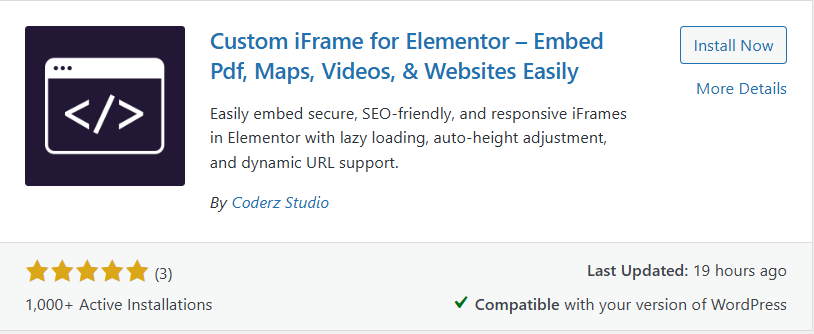
- Install and Activate ‘Custom iFrame Plugin by Coderz Studio‘
- Open your page in Elementor Editor.
- Search for Custom iFrame and Drag and drop the Widget onto editor area.
Step 3: Embed Flourish in Elementor
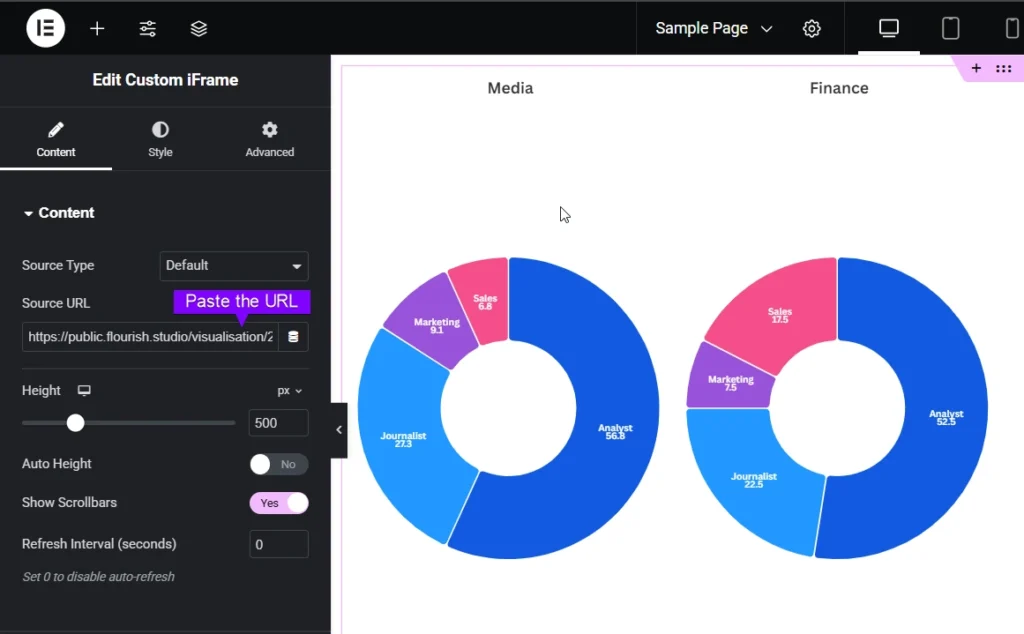
- Go to Content.
- Paste the URL into Source URL field.
Step 4: Customize & Configure Settings
For styling, smart loading, and advanced options, refer to our Complete Custom iFrame Widget Guide to fine-tune your embed.
Step 5: Save & Publish
Click Update, and your Flourish chart/Graph/Data stories is now live on your page!
Embed Flourish in Elementor in simple way with the Custom iFrame plugin. Follow the steps to display Flourish Chart/Graph/Data stories on your WordPress website. This keeps your site engaging and informative.
