View Categories

How to Embed Spreaker Audio in Elementor?

With Custom iFrame, you can embed Spreaker audio in Elementor easily. Share podcasts, interviews, or audio stories right on your WordPress site.

Step 1: Get the Spreaker Audio Link

  1. Open Spreaker. (https://www.spreaker.com)
  2. Navigate to the audio you want to embed.
  3. Click on ‘Share’ icon or ‘Three dot’ button > Click on ‘Embed’ option > Copy the iframe src URL

Step 2: Install the Custom iFrame Plugin

  1. Install and Activate ‘Custom iFrame Plugin by Coderz Studio
  2. Open your page in Elementor Editor.
  3. Search for Custom iFrame and Drag and drop the Widget onto editor area.
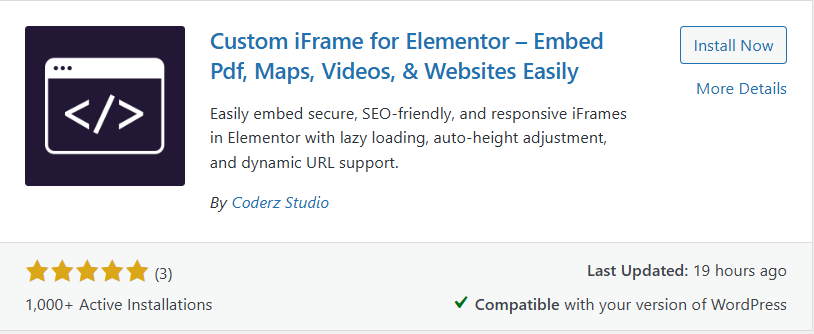
This image shows the WordPress plugin “Custom iFrame for Elementor – Embed Pdf, Maps, Videos, & Websites Easily” by Coderz Studio. It allows secure, SEO-friendly, and responsive iFrame embedding in Elementor with features like lazy loading, auto-height adjustment, and dynamic URL support. The plugin has a 5-star rating from 3 reviews, over 1,000 active installations, was last updated 19 hours ago, and is marked compatible with the current WordPress version.

Step 3: Embed Spreaker Audio in Elementor

  1. Go to Content.
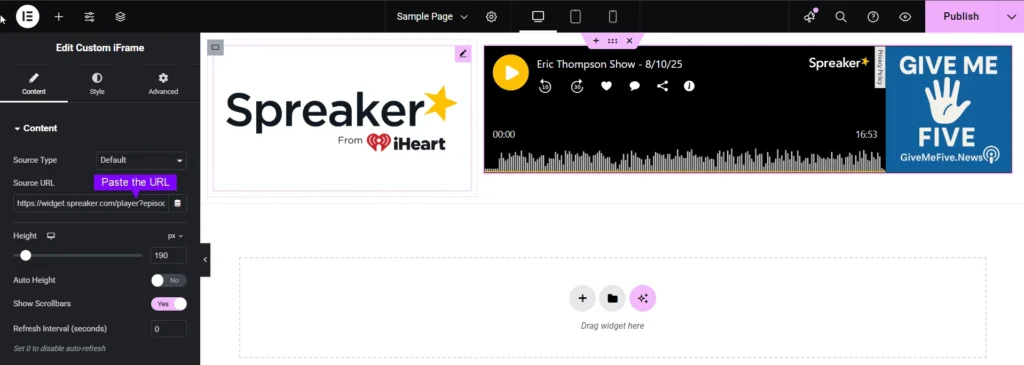
  2. Paste the URL into Source URL field.
This image shows the Elementor editor being used to Embed Spreaker Audio Player with the Custom iFrame widget. On the left panel, the "Source URL" field contains a Spreaker embed link, with controls to adjust height, enable/disable auto height, show scrollbars, and set refresh intervals. On the right side, the preview displays the Spreaker audio player featuring the Eric Thompson Show – 8/10/25, with playback controls, waveform display, a runtime of 16:53, and a side banner that reads “GIVE ME FIVE – GiveMeFive.News.”

Step 4: Customize & Configure Settings

For styling, smart loading, and advanced options, refer to our Complete Custom iFrame Widget Guide to fine-tune your embed.

Customize your iFrame with our Style Custom iFrame guide—adjust dimensions, backgrounds, borders, and more! 🎨✨

Step 5: Save & Publish

Click Update, and your Spreaker audio is now live on your page!

Embed Spreaker audio in Elementor in simple way with the Custom iFrame plugin. Follow the steps to display Spreaker audio on your WordPress website. This keeps your site engaging and informative.